Support in every app is one of the keys to the well-being of members. Support provides help by replying to questions or concerns, guiding members, or simply listening to their suggestions.
Before contacting them, [read the articles|https://kyodo.freshdesk.com/support/solutions] they made! Your question might have already been answered.
Submitting a ticket through the Support is pretty easy and fast. To explain everything, we will review everything step by step. To create a new ticket, [go here|https://kyodo.freshdesk.com/support/tickets/new].

Requester
Add your Kyodo account's email.

Subject
Describe your problem or question in a few words.

Type
Choose the category for your ticket:
I Have a Question
Inactive Circle Owner
Bug Report
App Feedback/Suggestion
I’d like my Circle Featured
Account Issues
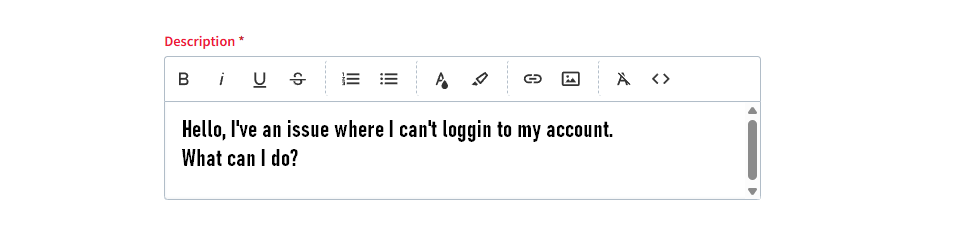
Description
Write down your request, with as much detail as possible. The goal is to help Team Kyodo understand your question, issue, or report right away. Add links, format your text, provide screenshots or videos: anything!
Please keep in mind that Team Kyodo cannot take into account only screenshots if you report any abuse or circle/account. You must flag the content(s) directly within the Kyodo app.
If you want to keep track of your ticket(s), you can log in with the email you used to contact Kyodo. Click on the new button that appeared.


Here you will have three categories:
Open: freshly created.
Pending: Team Kyodo is currently reviewing it.
Closed: the issue has been answered.
If something new happens regarding the same topic, or you want to reply to Team Kyodo’s question, you can click on “reply” in the top right corner.
Credits to @Crabe on Kyodo
Was this article helpful?
That’s Great!
Thank you for your feedback
Sorry! We couldn't be helpful
Thank you for your feedback
Feedback sent
We appreciate your effort and will try to fix the article