Guide to Blocking
Welcome everyone to another guide! This time we first want to explain what blocking a member does and secondly show you how to block others and access the blocked members list.
What happens when you block another member?
O1. They can’t message you.
O2. They cannot follow you.
O3. They can’t comment or like your posts (articles, threads, wikis and personas).
O4. Join a chat made by you.
O5. Request a chat with you.
Tutorial: How to block a member?
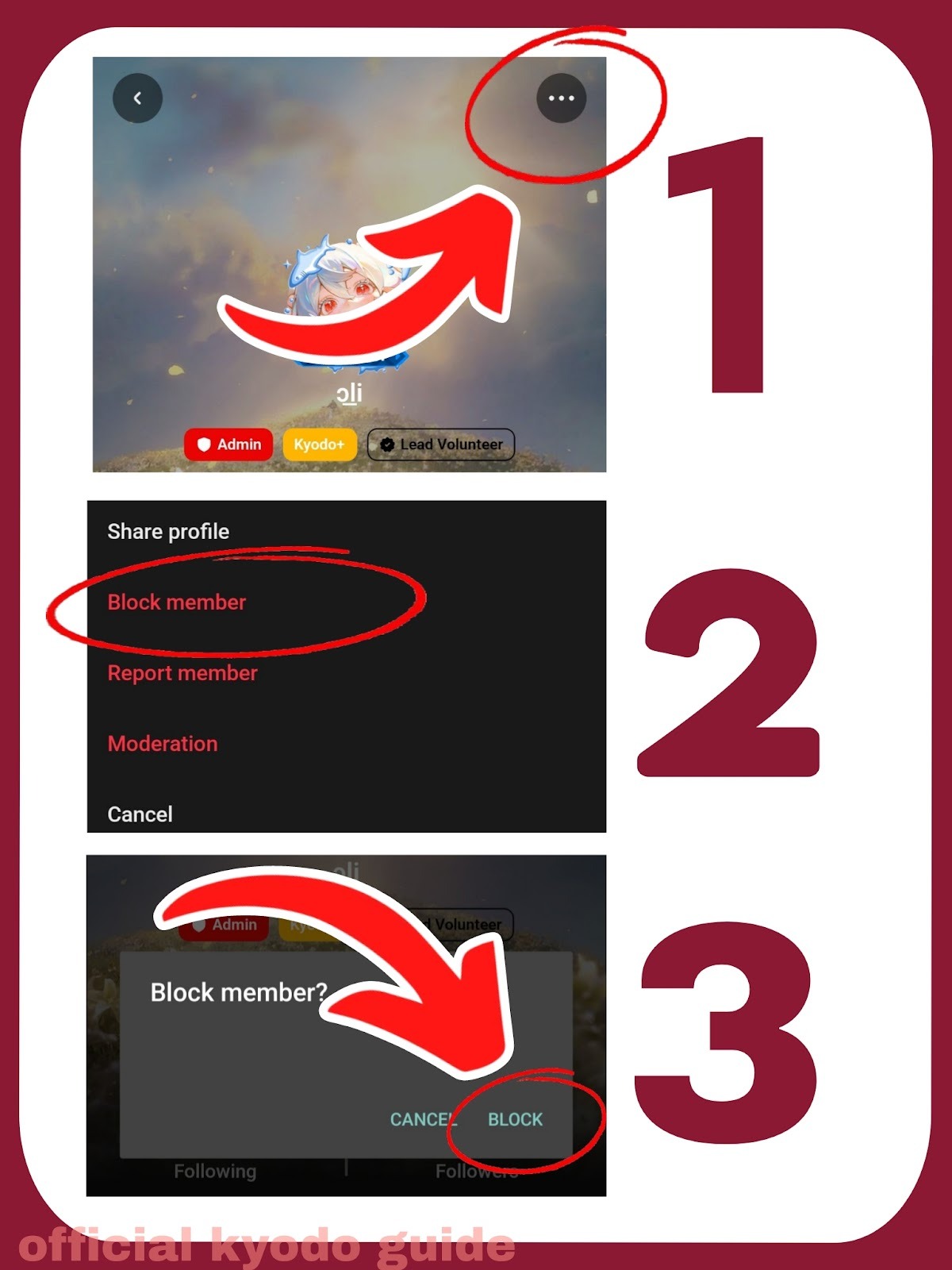
Click on the 3 dots on the top right corner of the user's profile. Scroll until you see "Block member". A pop-up will appear to ask if you are sure you want to block them, click "BLOCK".
Tutorial: How to access the list of blocked members?
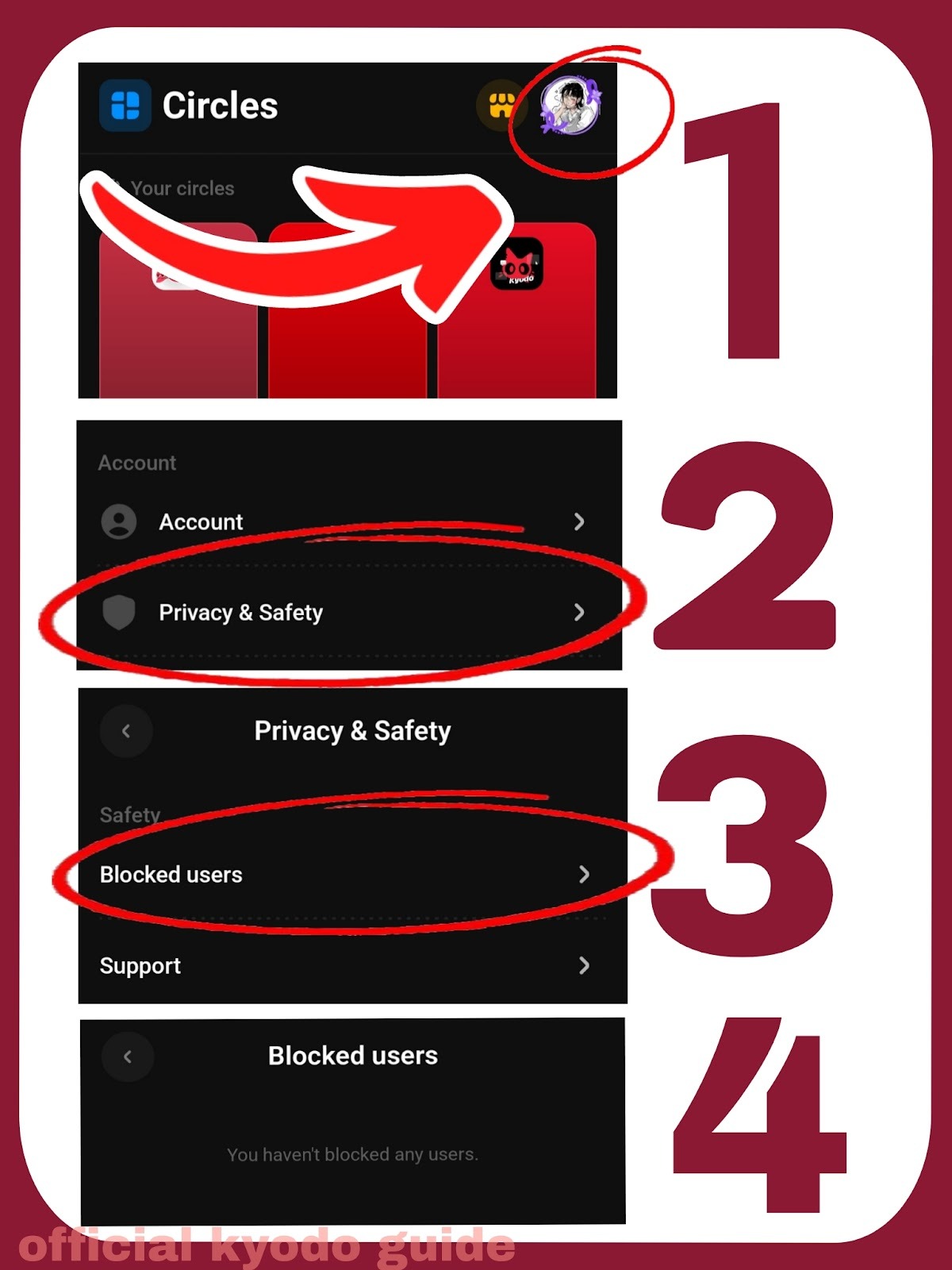
The list can easily be found when clicking on your profile icon on the main page (global profile), there you go into your setting and under the section "blocked members" you have an insight of all blocked members.
Here is quick tutorial:
We hope this guide helps users understand what blocking actually does and how to block and access your block list.
Credits to @sternchen_star on Kyodo
Was this article helpful?
That’s Great!
Thank you for your feedback
Sorry! We couldn't be helpful
Thank you for your feedback
Feedback sent
We appreciate your effort and will try to fix the article