Discovery Page Customization
Did you know you could customize your discovery page? Setting a custom discovery page will help Kyodo recommend circles that will suit your interests.
Here is how to customize your discovery page:
1. Go to your global settings by clicking on your profile icon in the top-right corner of the Kyodo home screen.
2. Scrolling down, you should see an “interest” button, open that page.
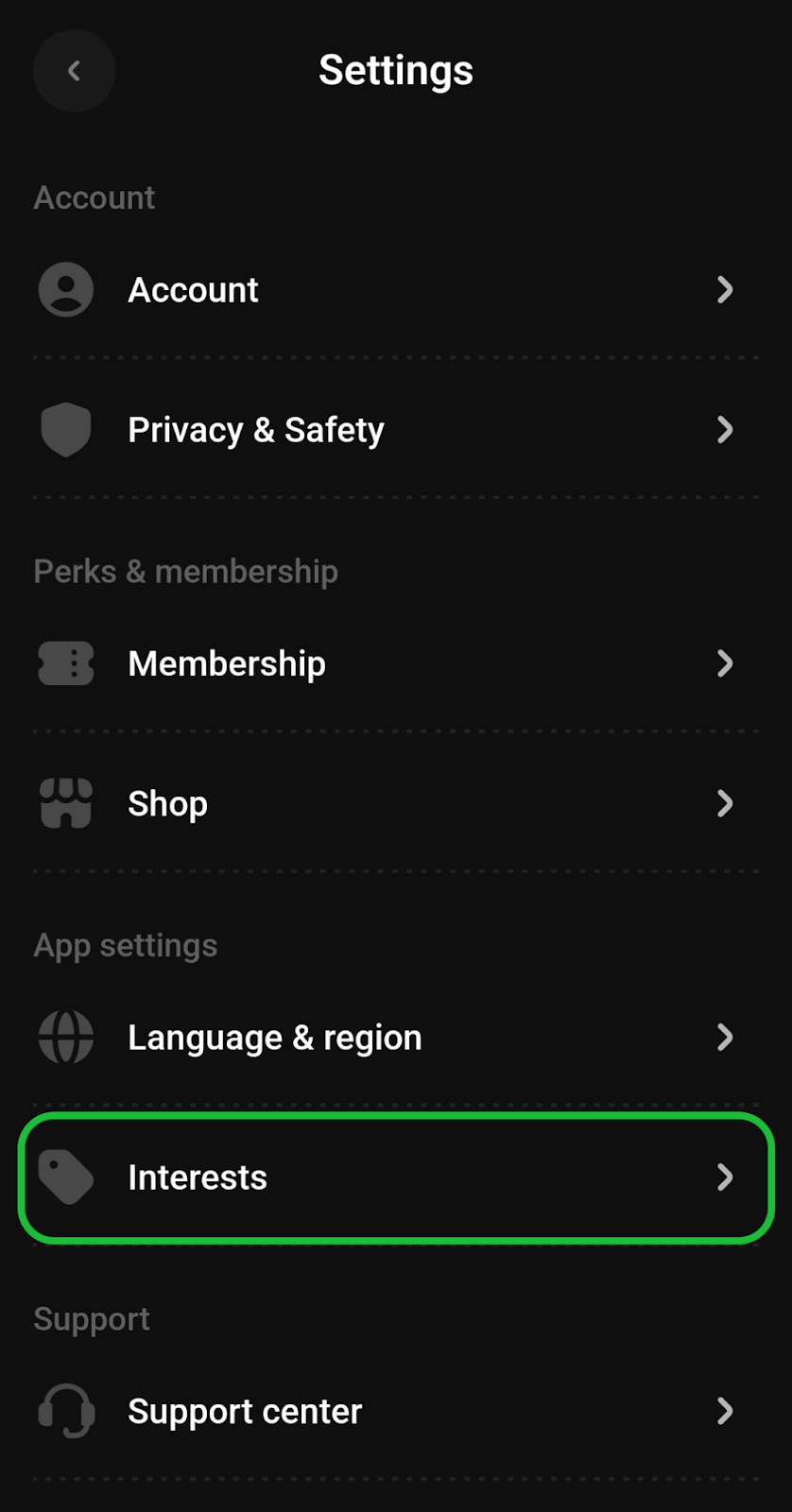
3. You can either add one of the interests displayed or search for it using the
search bar.
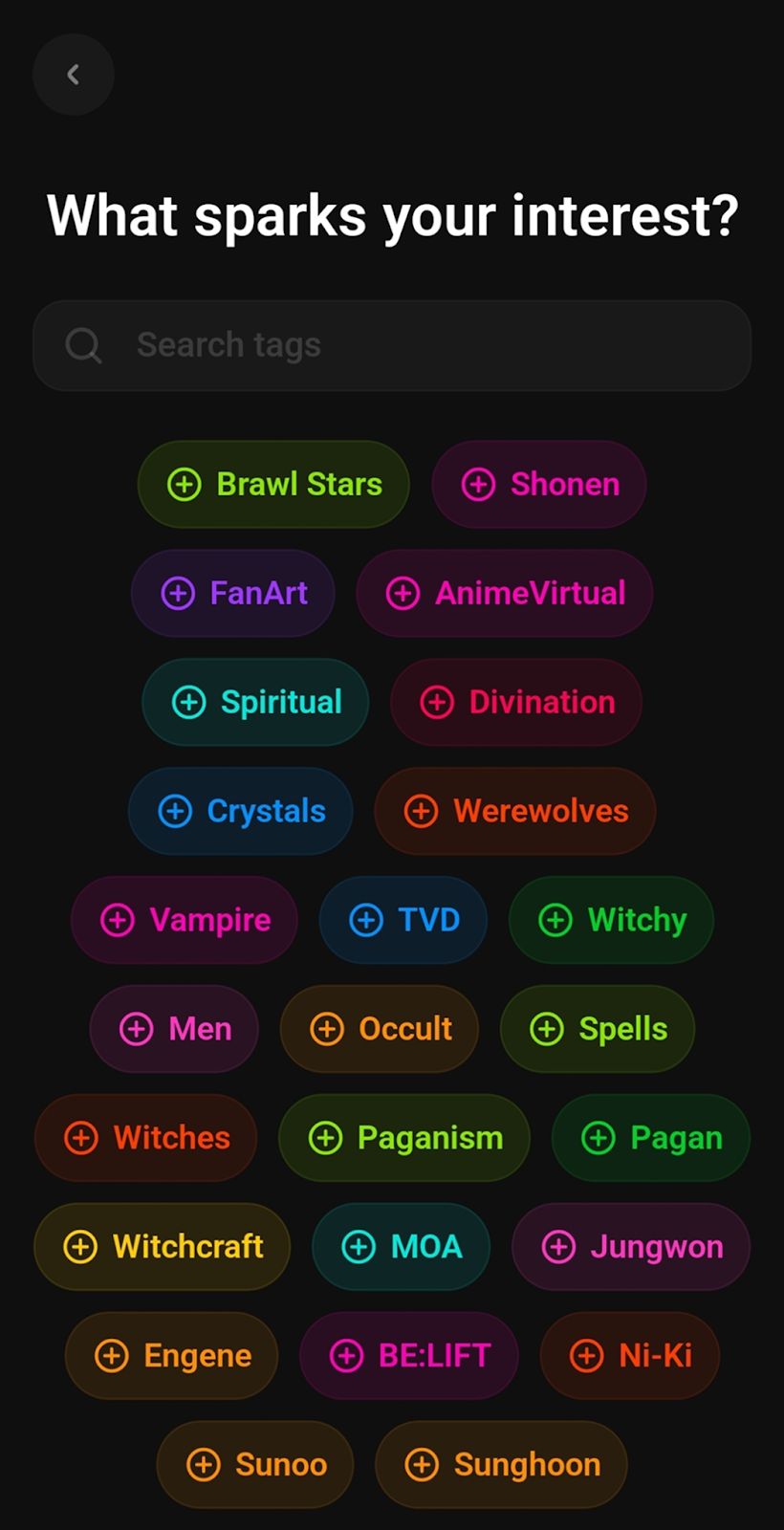

4. Once you have selected a few topics as your interests, your discovery page will
display circles that contain the tags you have selected.
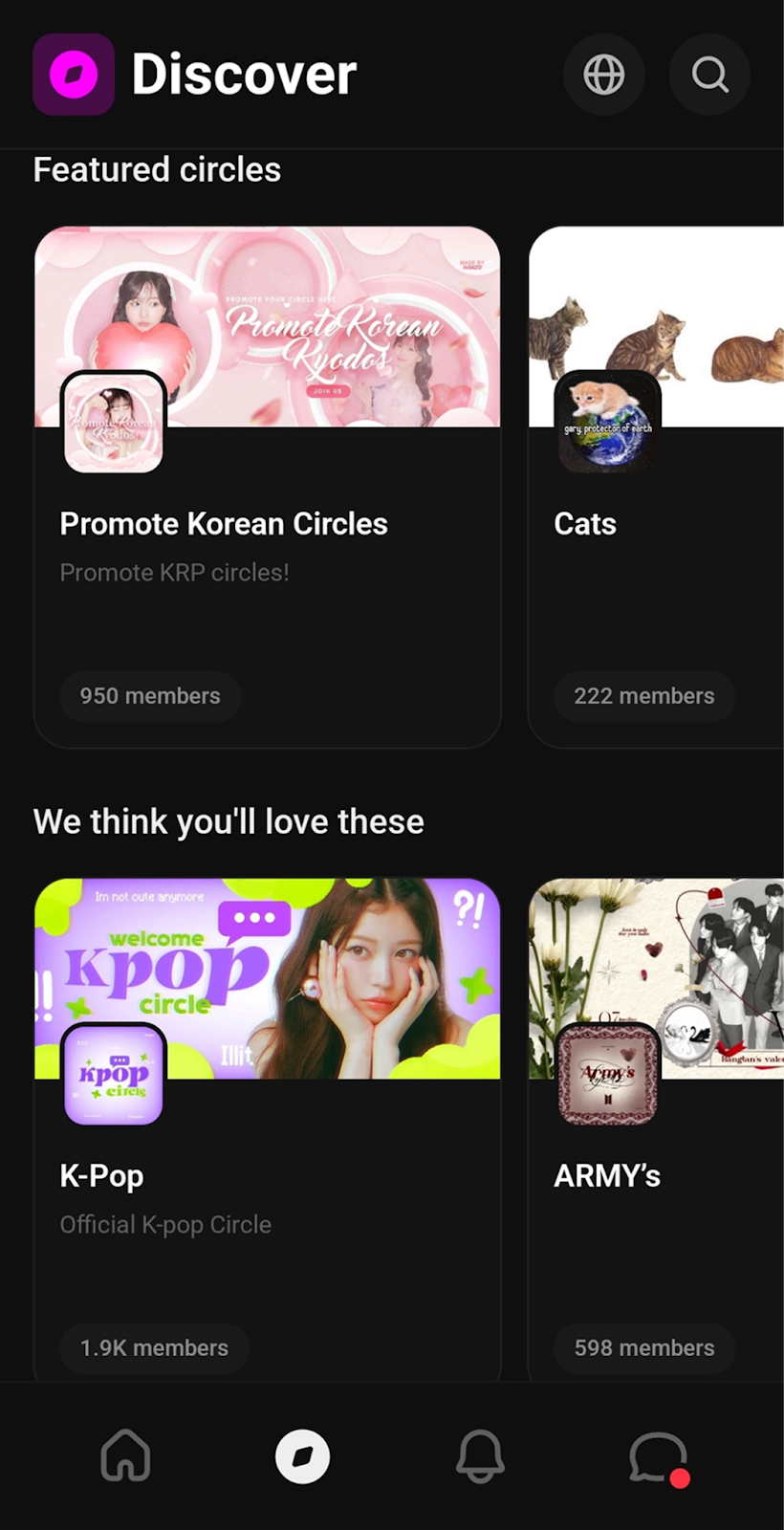
Important: Interests will vary depending on the region you’ve selected for your discovery page.
If you own a circle, make sure to tag it appropriately. Using specific tags will help you reach your target audience more effectively.
If this guide helped you, consider checking out our other articles about V2!
Made by @Sheepqueen on Kyodo
Was this article helpful?
That’s Great!
Thank you for your feedback
Sorry! We couldn't be helpful
Thank you for your feedback
Feedback sent
We appreciate your effort and will try to fix the article